BioDB Design Summary
The Biological Database API provides an API for biological databases but also an API to manage concurrent data manipulation tasks: a Task API. This API is composed by a Task interface (and base implementation) and an extension of Drupal Lock API that supports shared locks. Finally, a set of exception classes has been added in order to finely manage thos new API exceptions.
Biological Database API
The following figure gives a high-level overview of the classes provided by the Biological Database API and their relationship to the Drupal API:

This next figure shows which types of methods are provided by which class.
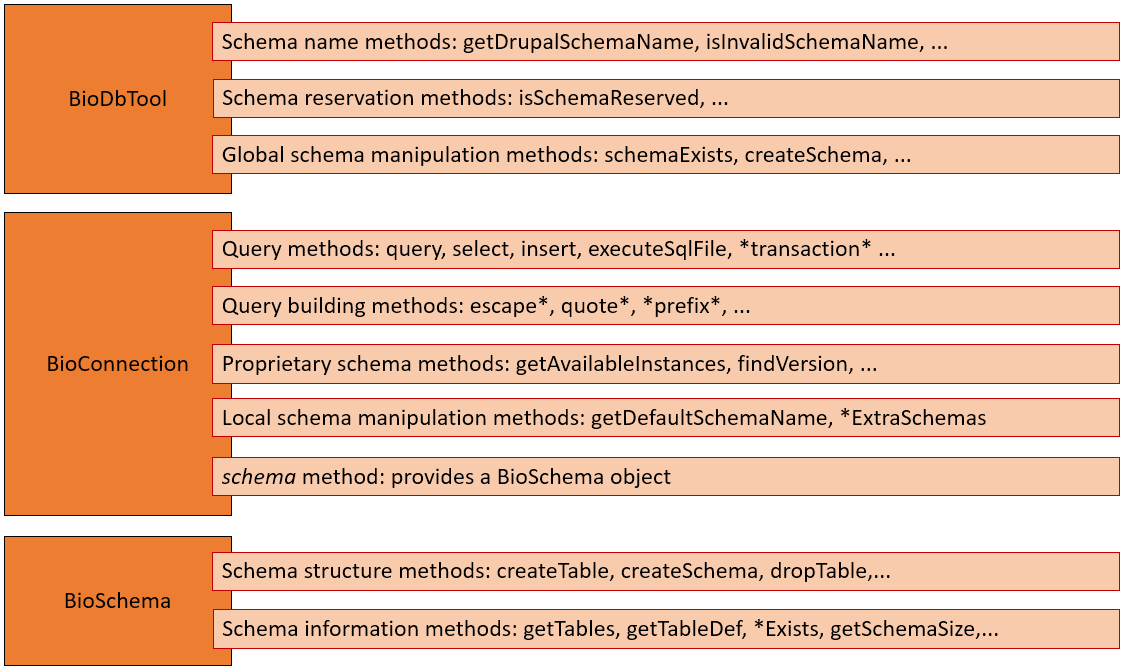
As shown above, BioConnection and BioSchema classes inherit from Drupal classes. You can find inherited methods from Drupal official documentation:
Many other methods are available and described in the source code of BioConnection, BioSchema and BioDbTool.
Task API
The purpose of the task API is to provide a common class interface for all database-related tasks. Thus, all tasks can be managed from a same user interface or command line tool the same way.
Obviously, sometimes, some database task may require more than a couple of seconds to perform their job. During that time, no other task should be allowed to modify the database concurrently to avoid data corruption. That’s why a Lock API has been added in order to lock a database schema during a task and avoid data corruption issues.
While using an exclusive lock on a schema for a task that modifies the data, to prevent other tasks accessing that data, perfectly makes sense, tasks that just require the data to remain unchanged while they are completing their job could share a same “read-only” lock. Therefore, the lock API provides 2 lock flavors:
exclusive locks for modified schemas
shared locks for schemas only used for reading
Those two flavors are provided by the PersistentDatabaseLockBackend class through the methods ::acquire() and ::acquireShared().
The following figure gives an overview of the classes provided by the Task API:
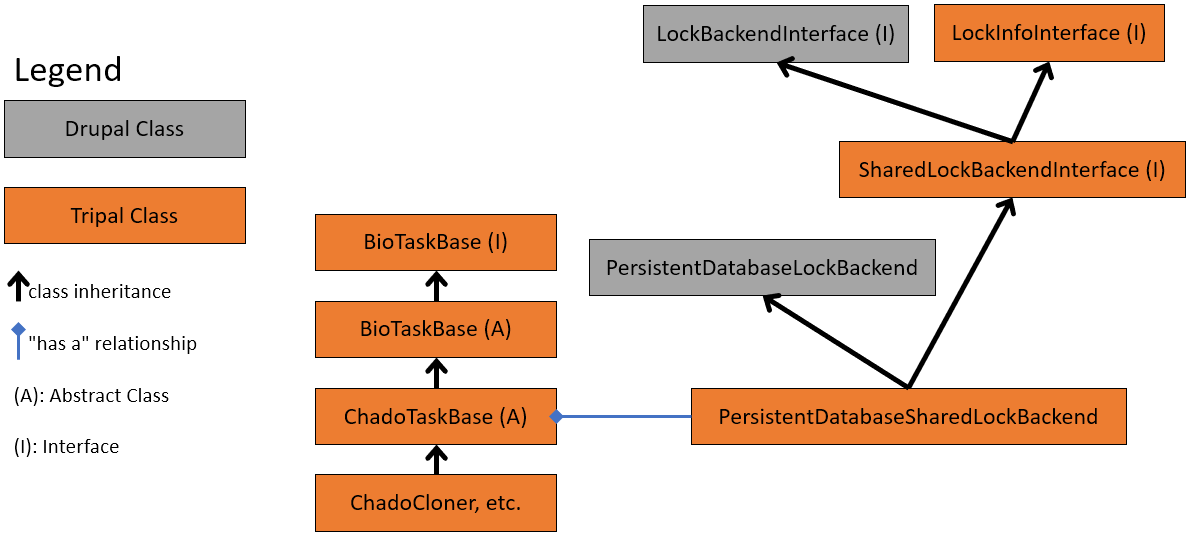
The task life cycle is displayed in the figure below with the example of a database schema cloner task.
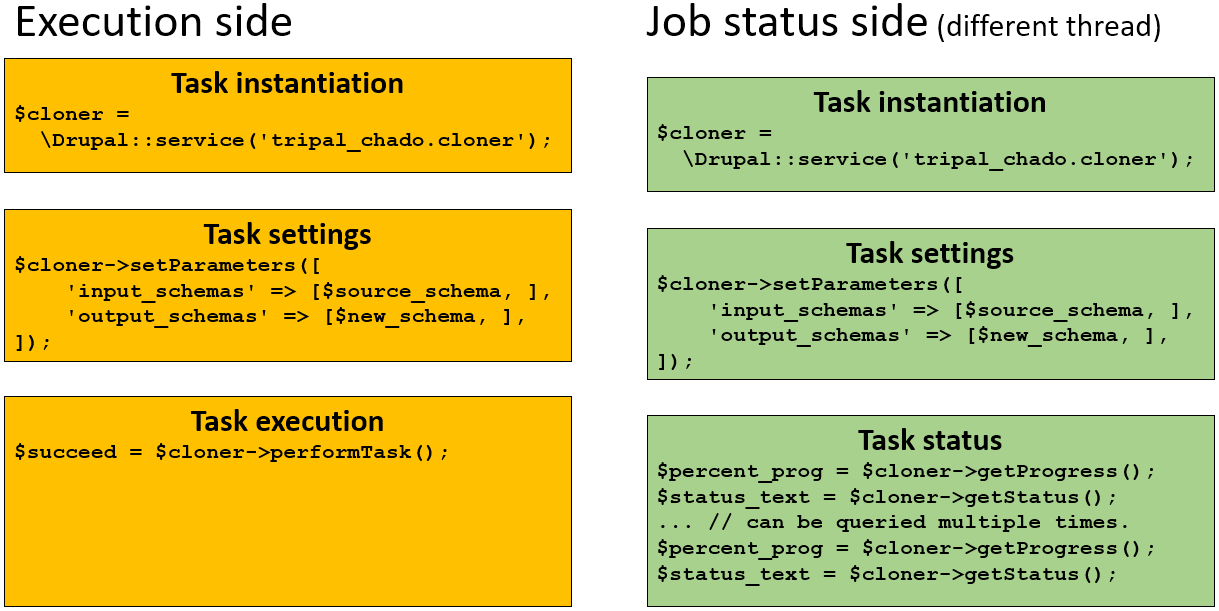
On the left side (yellow), the life cycle of a cloner task execution is described as follow:
First, a cloner task object is instanciated using Drupal services.
Then, its parameters are set.
$source_schemawould be the name of the schema to clone which will be locked with a shared lock (read only).$new_schemawould be the name of the new schema that will receive a copy of$source_schema.$new_schemawill be locked for exclusive use and no other task would be able to use it until the exclusive lock is released.Finaly, the task is performed and an execution status is returned.
On the right side (green), the life cycle of a cloner task status tracking. In that part, a task is created and setup using the exact same steps 1. and 2. of the executed task. However, the third step differs since we just want the status of another task with the same parameters currenlty running. Two methods can be used:
getProgress: to get the percent of task completion (returns a float number between 0 and 1).
getStatus: to get a human readable text status of the current task.